
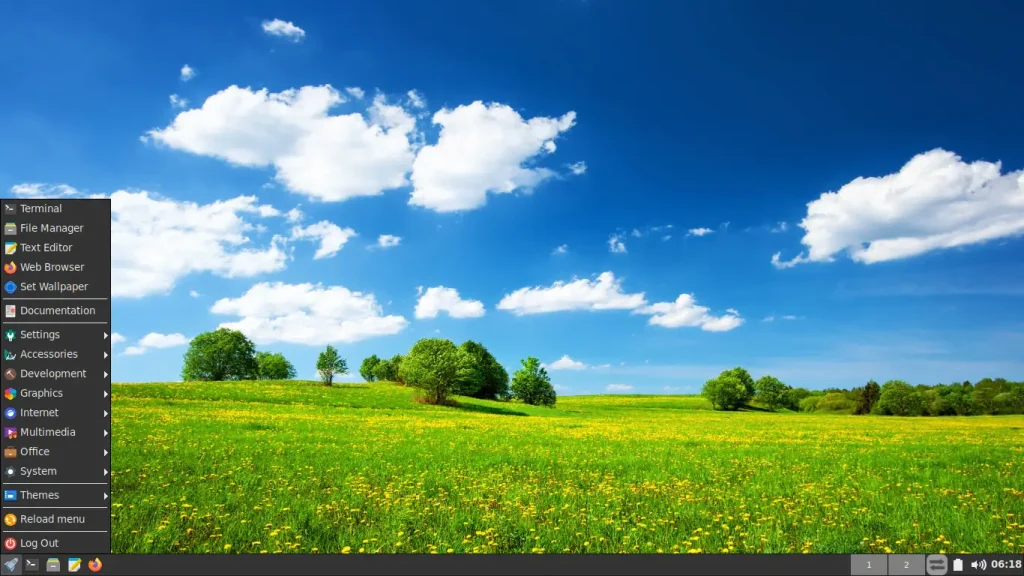
We are excited to announce the first development snapshot of the upcoming FunOS 26.04 LTS (Resolute Raccoon). This release marks the beginning of the 26.04 LTS development cycle and provides an early preview of the features, improvements, and system updates that will arrive in the final release.
Snapshot 1 is intended for testing, development, and feedback, and is not recommended for production use.
What’s New in Snapshot 1
Since this is an early-stage snapshot, most of the core components are still based on the Ubuntu 25.10 foundation. However, this release includes the latest updates from the Ubuntu 26.04 development branch.
✔ Updated base from Ubuntu 26.04 development
Includes the latest package updates and early builds of the 26.04 LTS toolchain.
✔ Improved stability and performance
Core packages, libraries, and essential components have been updated to ensure compatibility with upcoming 26.04 LTS changes.
✔ Developer-focused release
Ideal for testers, developers, and contributors who want to explore the next-generation FunOS base early.
Who Should Use Snapshot 1?
Snapshot 1 is not a final release. You should download and test it if you are:
- A developer or user who wants to explore the upcoming FunOS 26.04 features
- Someone who wants to help test, report bugs, and provide feedback
- Interested in checking compatibility with future Ubuntu 26.04 LTS packages
- A FunOS contributor preparing for the next major release
If you need a stable and reliable system, continue using FunOS 24.04.3 LTS or FunOS 25.10.
Download FunOS 26.04 LTS Snapshot 1
Download the ISO image here:
👉 [Download FunOS 26.04 LTS (Resolute Raccoon) Snapshot 1]
https://sourceforge.net/projects/funos/files/resolute/snapshots/26.04/funos-26.04-snapshot1.iso/download
Important Notes
- This snapshot may contain bugs and unfinished features.
- Not recommended for daily use or production environments.
- Please report issues, compatibility problems, or suggestions to help improve the 26.04 LTS development cycle.
Known Issues
Ubiquity Cursor Issue in Live Session
When running Try FunOS (Live Session) and launching the Ubiquity installer, the mouse cursor may not visually change (e.g., spinning or hourglass icon) during installation steps.
This issue occurs due to how Ubiquity interacts with lightweight window managers like JWM.
Recommended Solution:
For the best installation experience, choose “Install FunOS” directly from the boot menu instead of launching the installer from the live desktop.
For more details and troubleshooting steps, see:
👉 Avoid Cursor Issues When Installing FunOS
What’s Next
FunOS will continue releasing snapshots during the development cycle of Ubuntu 26.04 LTS.
Expect upcoming updates including:
- Updated Linux kernel versions
- System optimization for the final LTS release
Leave a Reply