
Release Date: August 11, 2025
Base: Ubuntu 24.04.3 LTS (Noble Numbat)
We are pleased to announce the release of FunOS 24.04.3, the latest point release in the FunOS 24.04 LTS series. This release provides updated installation media with all the latest software updates, security patches, bug fixes, and improved hardware support.
What is a Point Release?
Point releases, such as 24.04.3, are updated versions of long-term support (LTS) releases. They are intended for new installations and include:
- The latest available security and software updates
- A newer hardware enablement (HWE) stack
- Bug fixes and enhancements since the previous point release
Base System
- Based on: Ubuntu 24.04.3 LTS “Noble Numbat”
- Updated Package Base: Includes all updates from the Ubuntu Noble repositories as of August 11, 2025
- Linux Kernel: 6.14 (backported HWE kernel from Ubuntu 25.04)
Applications and Software Updates
- Firefox ESR: Updated to 128.13.0esr
- All default packages updated to their latest available versions from Ubuntu repositories
Visual Improvements
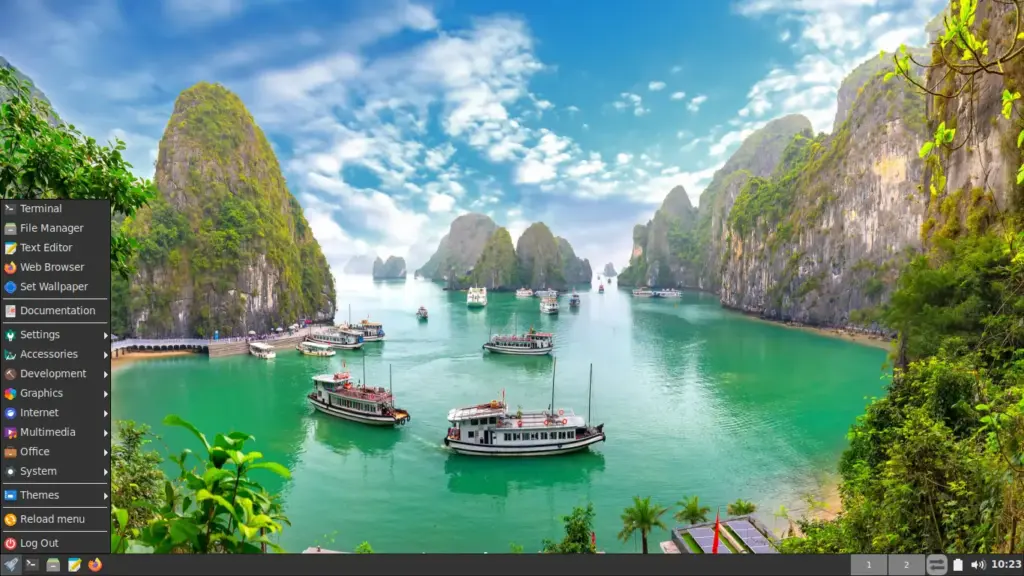
- Wallpapers: 15 new high-quality wallpapers from Adobe Stock
- JWM Themes: 10 brand new JWM window manager themes for a fresh look and feel
Support and Lifecycle
- Standard Support Ends: June 2029
- End of Life (EOL): April 2036
FunOS follows Ubuntu’s LTS lifecycle. You’ll receive security updates and core package maintenance throughout the support period.
Important Notes
⚠️ Ubiquity Cursor Issue in Live Session
When using the Try FunOS (live session) and launching the Ubiquity installer, you may notice that the mouse cursor does not visually change to indicate progress (e.g., spinning or hourglass icon) during certain stages of installation. This is a known issue caused by how Ubiquity interacts with lightweight window managers like JWM.
✅ Recommended Solution:
For a smoother installation experience, we recommend selecting “Install FunOS” directly from the boot menu, instead of launching the installer from the live desktop.
For full details and tips, please see this guide:
👉 Avoid Cursor Issues When Installing FunOS
Download FunOS 24.04.3
The latest ISO file is available here:
🔗 https://funos.org/download
Here’s the additional information you can include in the release notes for FunOS 24.04.3, placed near the end or in a section labeled “Upgrade Instructions” or “For Existing Users”:
For FunOS 24.04.2 Users
If you are currently using FunOS 24.04.2 and want to upgrade to FunOS 24.04.3, please follow the official guide here:
👉 How to Upgrade FunOS 24.04.2 to FunOS 24.04.3
This guide will help you update your system and install the new wallpapers and JWM themes introduced in this release.
I tried to install Thunderbird on a fresh install (version LTS 24.3). I did “sudo apt update && sudo apt upgrade”, then “sudo apt install thunderbird”. Can I change repository?
I received the following output:
Reading package lists… Done
Building dependency tree… Done
Reading state information… Done
Some packages could not be installed. This may mean that you have
requested an impossible situation or if you are using the unstable
distribution that some required packages have not yet been created
or been moved out of Incoming.
The following information may help to resolve the situation:
The following packages have unmet dependencies:
thunderbird : PreDepends: snapd but it is not installable
E: Unable to correct problems, you have held broken packages.
Hi Massimo,
Sorry for the delay in replying to your comment.
The issue you encountered happens because, in recent Ubuntu-based systems, Thunderbird from the official repositories is provided as a Snap package. FunOS does not include Snap (
snapd) by default, so installing Thunderbird directly withsudo apt install thunderbirdwill result in the dependency error you saw.You don’t need to change repositories. Instead, please follow this guide, which explains the correct way to install Thunderbird on FunOS without Snap:
👉 How to Install Thunderbird on FunOS
The article covers the recommended installation method and avoids the
snapddependency issue entirely.Thanks for trying FunOS and for taking the time to report this 👍