
JWM (Joe’s Window Manager) is the default window manager in FunOS. It is lightweight, fast, and highly configurable, making it an excellent choice for users who prefer a responsive desktop with minimal resource usage.
Unlike many desktop environments that store all settings in a single file, FunOS uses a modular JWM configuration system. Each part of the desktop—such as the menu, panel, keyboard shortcuts, startup applications, and themes—is stored in a separate configuration file. This design makes the system easier to understand, customize, and maintain.
This guide explains the purpose of each JWM configuration file used by FunOS and where you can find it.
JWM Configuration Directory Structure in FunOS
JWM configuration files are stored in two locations within your home directory:
~/.jwmrc– The main JWM configuration file that loads the rest of the configuration.~/.config/jwm/– A directory containing the modular JWM configuration files.
Separating the configuration into multiple files makes it easier to modify individual desktop components without editing one large configuration file.
How to Access the JWM Configuration Files
You can access the JWM configuration files using either the File Manager or the Terminal.
Method 1: Using the File Manager
- Click Menu > File Manager.
- Show hidden files by clicking View > Show Hidden, or press Ctrl + H.
You will then be able to see:
~/.jwmrc~/.jwmrc-mjwm- The
~/.config/jwm/directory
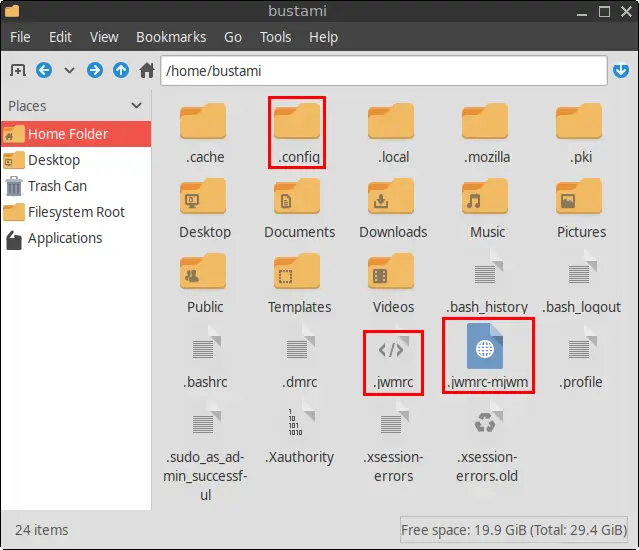
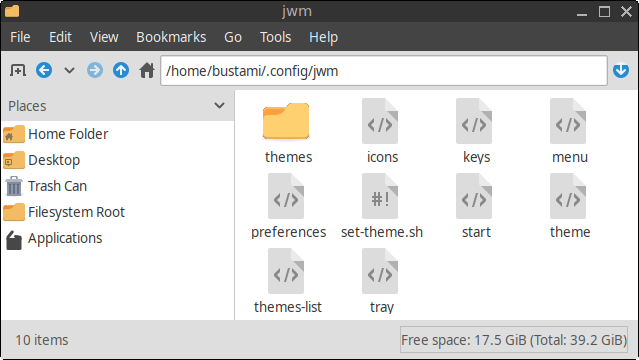
Note: The
set-theme.shscript is included starting with FunOS 24.04.4 LTS (Build 20260618) and FunOS 26.04 LTS (Build 20260618).
Method 2: Using the Terminal
Open a Terminal and navigate to the JWM configuration directory:
cd ~/.config/jwmTo edit a configuration file, run:
mousepad trayReplace tray with the name of the configuration file you want to edit.
JWM Configuration Files Explained
The following sections describe each configuration file and its purpose.
~/.jwmrc
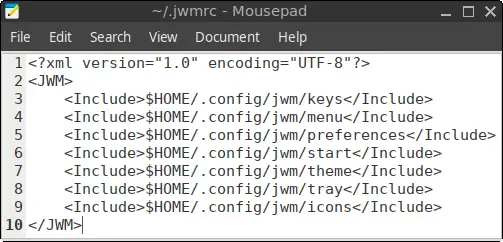
This is the primary JWM configuration file. Rather than containing all desktop settings itself, it mainly consists of <Include> statements that load the individual configuration files stored in ~/.config/jwm/.
Purpose: Serves as the main entry point for the JWM configuration.
~/.jwmrc-mjwm
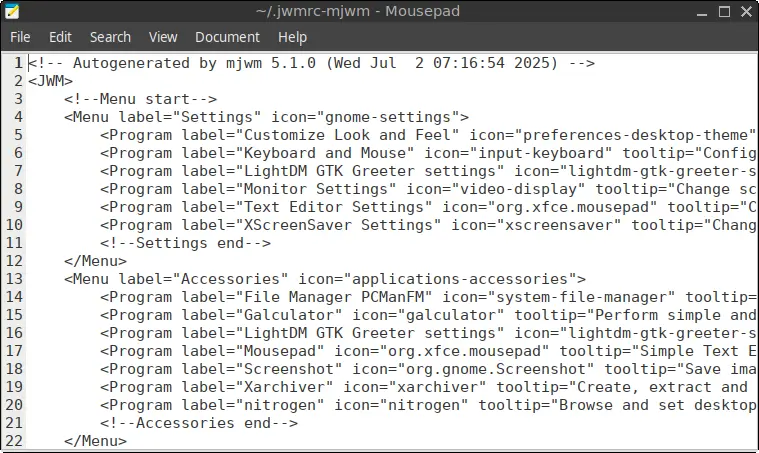
This file is automatically generated by the mjwm utility, which creates the application menu from installed .desktop files.
Earlier versions of FunOS required manually refreshing the menu using “Reload menu” or runs:
mjwm --no-backup && jwm -reloadBeginning with FunOS 24.04.4 LTS (Build 20260618) and FunOS 26.04 LTS (Build 20260618), the application menu updates automatically whenever software is installed or removed.
Purpose: Stores the automatically generated application menu.
~/.config/jwm/icons
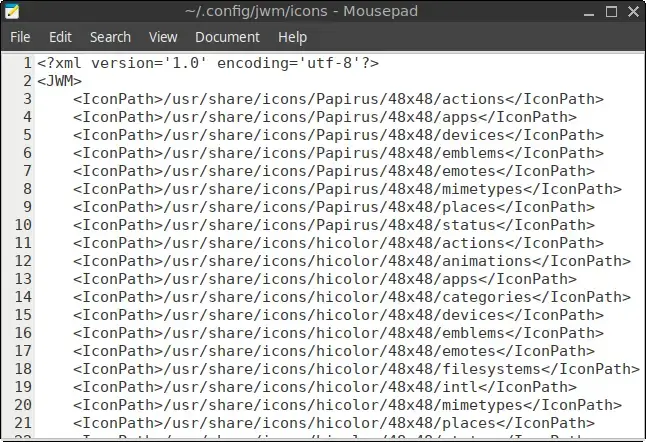
This file specifies the directories JWM searches for icons.
Purpose: Defines the icon search paths used by the desktop menu, panel, and other interface components.
~/.config/jwm/keys
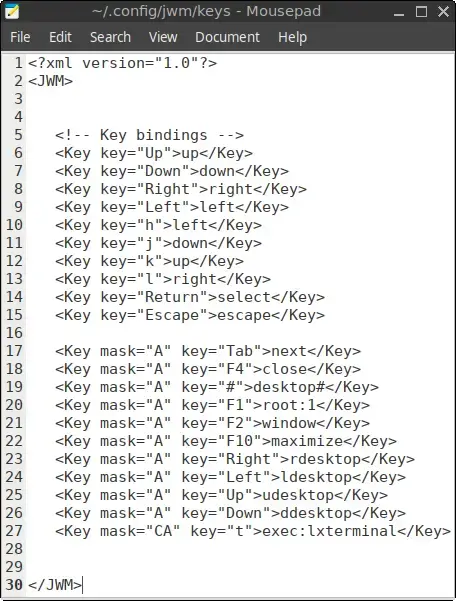
This file defines keyboard shortcuts used throughout the desktop.
For example:
<Key mask="CA" key="t">exec:lxterminal</Key>Pressing Ctrl + Alt + T opens the Terminal.
Purpose: Maps keyboard shortcuts to applications and window management actions.
~/.config/jwm/menu
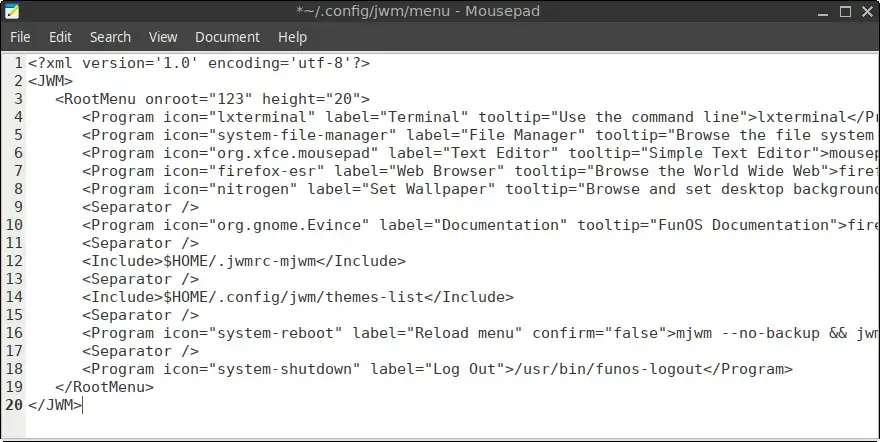
This file defines the structure of the main desktop menu.
It contains:
- Application launchers
- Submenus
- Separators
- Links to documentation
- References to automatically generated menu entries
- Theme selection menu
Starting with FunOS 24.04.4 LTS (Build 20260618) and FunOS 26.04 LTS (Build 20260618), the manual Reload menu option has been removed because the menu is refreshed automatically.
Purpose: Defines the overall layout of the JWM desktop menu.
~/.config/jwm/preferences
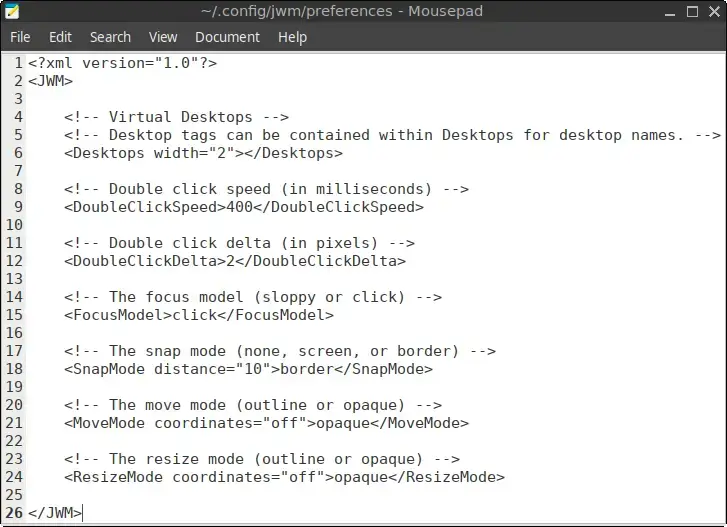
This file contains general desktop behavior settings, including:
- Number of virtual desktops
- Focus behavior
- Window movement and resizing
- Window snapping
Purpose: Controls how JWM behaves during everyday use.
~/.config/jwm/start
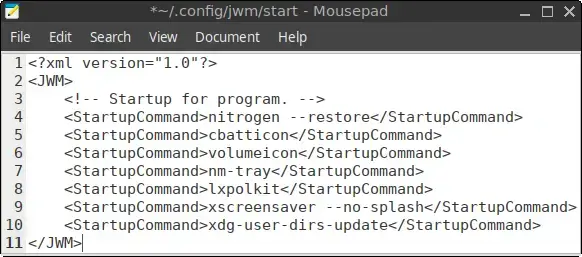
This file lists programs that are launched automatically when JWM starts.
Typical entries include system tray utilities and background services.
Purpose: Starts applications automatically during login.
~/.config/jwm/theme
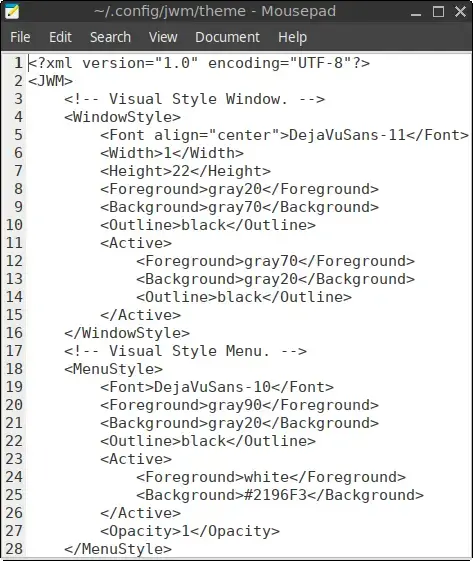
This file contains the currently active JWM theme.
It controls the appearance of:
- Window borders
- Title bars
- Menus
- Tray
- Fonts
- Colors
- Pop-up windows
Note: Avoid editing this file directly. It is automatically replaced whenever you select a different theme from the Themes menu.
Purpose: Defines the active desktop theme.
~/.config/jwm/themes-list
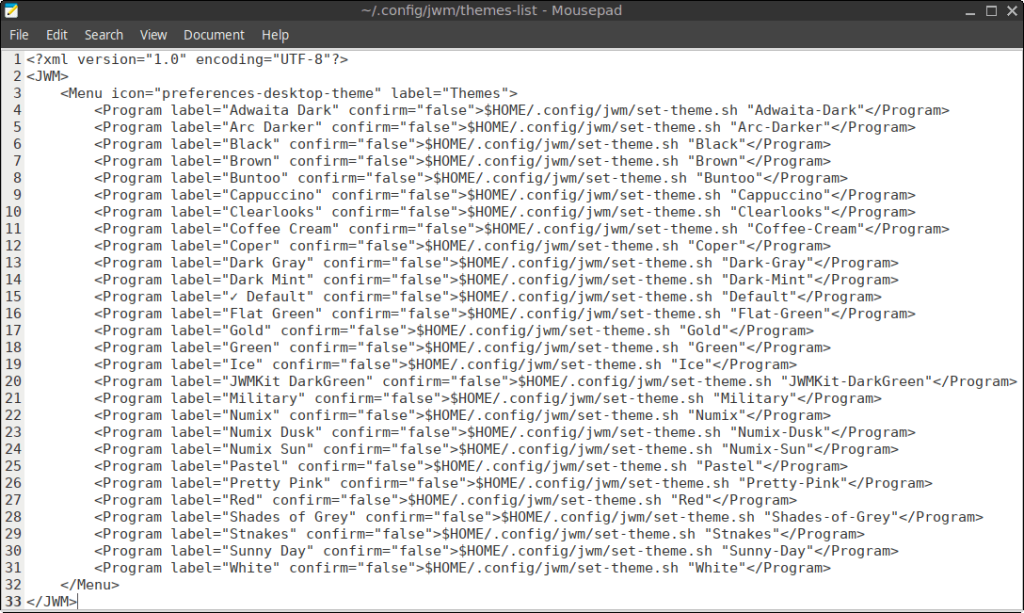
This file creates the Themes submenu in the JWM menu.
Each menu entry applies one of the themes stored in the themes directory and restarts JWM so the new appearance takes effect immediately.
Purpose: Provides the menu used to switch between installed JWM themes.
~/.config/jwm/tray
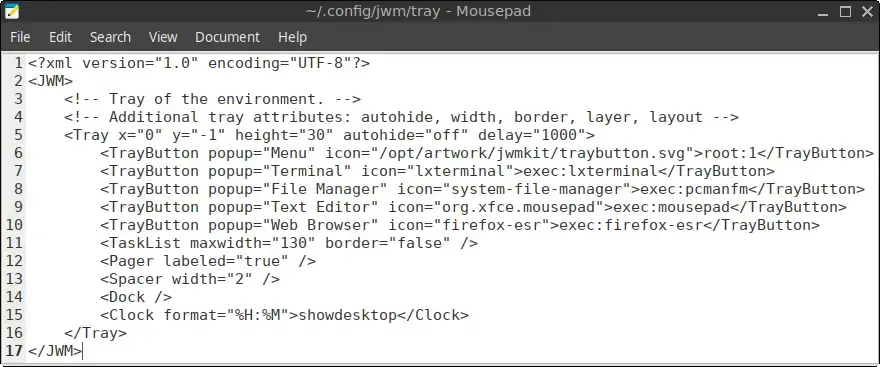
This file configures the JWM panel, which is normally located at the bottom of the screen.
It defines components such as:
- Menu button
- Application launchers
- Task list
- Workspace pager
- Notification area
- Clock
Purpose: Controls the layout and behavior of the desktop panel.
~/.config/jwm/themes/
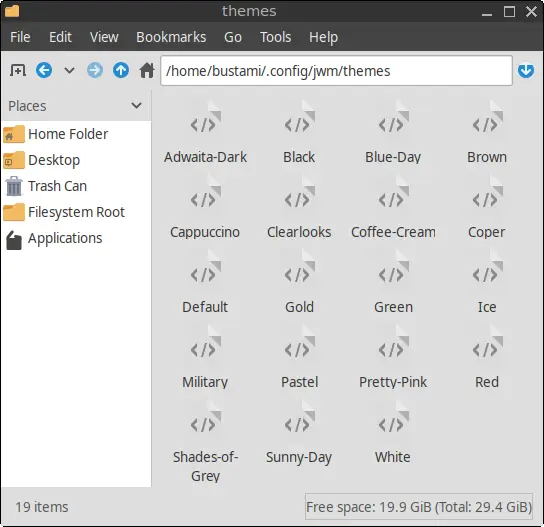
This directory stores all available JWM themes.
Each theme is an XML file that defines the complete visual appearance of the desktop, including colors, borders, fonts, menus, and panel styling.
FunOS includes a variety of built-in themes, including:
- Adwaita-Dark
- Arc-Darker
- Black
- Brown
- Buntoo
- Cappuccino
- Clearlooks
- Coffee-Cream
- Coper
- Dark-Gray
- Dark-Mint
- Default
- Flat-Green
- Gold
- Green
- Ice
- JWMKit-DarkGreen
- Military
- Numix
- Numix-Dusk
- Numix-Sun
- Pastel
- Pretty-Pink
- Red
- Shades-of-Grey
- Stnakes
- Sunny-Day
- White
Purpose: Stores all available JWM themes that can be selected from the desktop menu.
~/.config/jwm/set-theme.sh
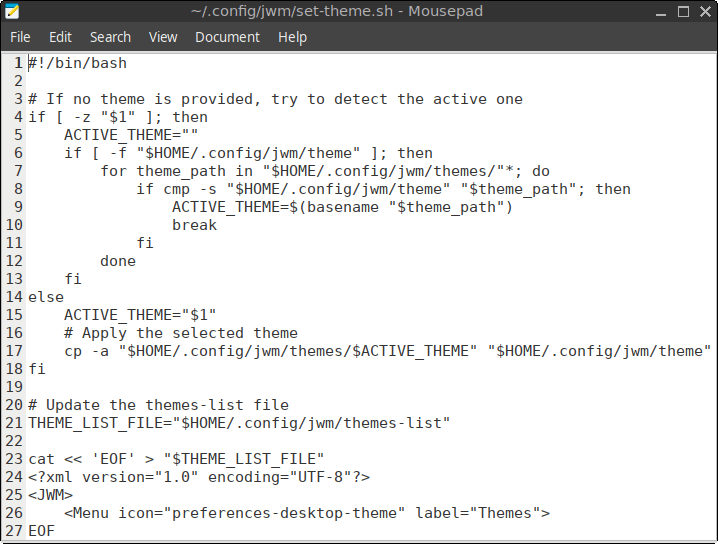
This script is responsible for applying a new desktop theme.
When you choose a theme from the Themes menu, the script copies the selected theme into the active theme file and restarts JWM automatically.
Purpose: Applies the selected JWM theme.
Best Practices
Do Not Edit ~/.jwmrc-mjwm
This file is automatically generated by mjwm. Any manual changes will be overwritten the next time the application menu is regenerated.
Back Up Configuration Files
Before making changes, create a backup of the file you plan to edit.
For example:
cp ~/.config/jwm/tray ~/.config/jwm/tray.bakApply Your Changes
After editing a configuration file, restart JWM to apply the changes:
jwm -restartSummary
FunOS organizes its JWM configuration into a modular directory structure, making the desktop easier to customize and maintain.
The two primary locations are:
~/.jwmrc– Loads the configuration.~/.config/jwm/– Stores the individual configuration files for the menu, panel, keyboard shortcuts, themes, startup programs, and other desktop settings.
Understanding these files gives you greater control over the appearance and behavior of your FunOS desktop. Whether you simply want to change the panel layout or completely customize the desktop experience, the modular design makes it straightforward to modify only the components you need.
Related Links
- JWM Official Documentation: http://joewing.net/projects/jwm/
- FunOS Documentation: https://funos.org/documentation/
Thanks, good guide, jwm is a discovery, lightweight and very configurable…
Hi Simone,
Thank you for your kind words! I’m glad you found the guide helpful. Yes, JWM is indeed a hidden gem — it’s incredibly lightweight yet surprisingly flexible. Feel free to explore more of what FunOS and JWM can do, and don’t hesitate to share your experiences or ask questions. Happy tinkering!