
PPSSPP is one of the most popular and reliable emulators for playing PSP (PlayStation Portable) games on a PC. With PPSSPP, you can enjoy classic PSP titles on your FunOS system with enhanced graphics, higher resolutions, and improved performance. Since FunOS is based on Ubuntu, installing PPSSPP is straightforward and can be done easily using the official PPA provided by the developer.
In this article, you’ll learn how to install PPSSPP on FunOS step by step, as well as how to uninstall it completely if needed.
What is PPSSPP?
PPSSPP is a free and open-source PSP emulator that allows you to play PSP games on various platforms, including Linux, Windows, macOS, Android, and more. It supports high-definition rendering, anisotropic filtering, texture scaling, and even save-state features, offering a better experience than the original PSP hardware.
The emulator is lightweight and works smoothly on low-spec systems, making it a perfect match for FunOS users who value performance and simplicity. PPSSPP can emulate most PSP games efficiently, with support for gamepad controllers and keyboard input.
For more information about the project, visit the official PPSSPP website at https://www.ppsspp.org/.
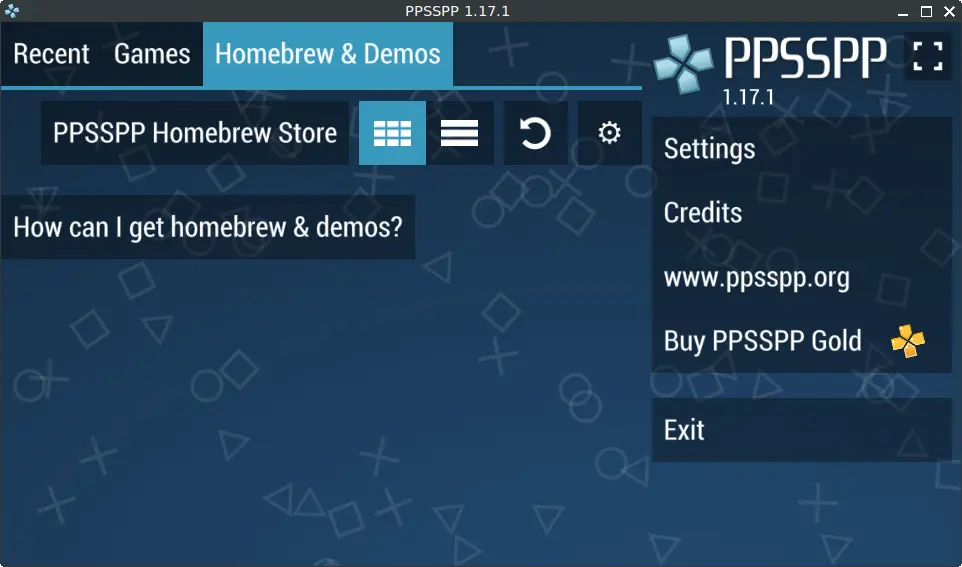
How to Install PPSSPP on FunOS
Work on: 22.04.5 ✅ | 24.04.3 ✅ | 25.04 ✅ | 25.10 ✅ | 26.04 ❌
Step 1: Open a Terminal
You can open the Terminal in one of the following ways:
- Click Menu in the lower-left corner of the screen, then click Terminal
- Click the Terminal icon in the Tray
- Press Ctrl + Alt + T on your keyboard
Step 2: Add the PPSSPP PPA
PPSSPP can be installed from a Personal Package Archive (PPA) maintained by Xu Zhen, the developer responsible for maintaining up-to-date PPSSPP packages for Ubuntu-based systems.
Run the following command to add the PPA:
sudo add-apt-repository ppa:xuzhen666/ppssppThis command adds the repository so your system can access the latest stable PPSSPP packages directly.
Step 3: Update the Package List
After adding the new repository, update your package list to include the latest entries from the PPSSPP PPA:
sudo apt updateStep 4: Install PPSSPP
Now, install PPSSPP by running the following command:
sudo apt install ppsspp ppsspp-sdl- The ppsspp package provides the Qt-based GUI version of the emulator.
- The ppsspp-sdl package provides a version using the SDL library, which can be useful for systems without a full desktop environment or for specific performance preferences.
Step 5: Reload the Menu
After installation, new menu entries may not appear automatically in the FunOS menu. To make them visible:
- Click the Menu button in the lower-left corner.
- Click Reload menu.
Once reloaded, PPSSPP will be added under the Games category.
Launching PPSSPP
To start PPSSPP:
- Click the Menu button in the lower-left corner.
- Navigate to the Games category.
- Click PPSSPP to launch the emulator.
You can now load your PSP game files (ISO or CSO format) and start playing. PPSSPP supports saving your game progress and configuring graphics, controls, and audio settings according to your needs.
How to Uninstall PPSSPP on FunOS
If you no longer need PPSSPP, you can completely remove it from your system using the steps below.
Step 1: Open a Terminal
You can open the Terminal in one of the following ways:
- Click Menu in the lower-left corner of the screen, then click Terminal
- Click the Terminal icon in the Tray
- Press Ctrl + Alt + T
Step 2: Remove PPSSPP
To uninstall PPSSPP and its associated packages, run:
sudo apt remove --purge ppsspp ppsspp-sdlStep 3: Remove Any Unused Dependencies
After uninstalling, clean up any unused packages and dependencies:
sudo apt autoremove --purgeStep 4: Remove the PPSSPP PPA
To remove the PPSSPP PPA repository that you added earlier, use:
sudo add-apt-repository --remove ppa:xuzhen666/ppssppStep 5: Update the Package List
Refresh your system’s package list after removing the PPA:
sudo apt updateStep 6: Remove User Data (Optional)
If you want to completely remove PPSSPP settings and saved data, delete its configuration directory:
rm -rf $HOME/.config/ppsspp⚠️ Note: This step will permanently delete your PPSSPP settings and saved games. Perform this only if you’re sure you no longer need them.
Step 7: Reload the Menu
Finally, reload the FunOS menu to remove PPSSPP entries:
- Click the Menu button in the lower-left corner.
- Click Reload menu.
Conclusion
PPSSPP is an excellent choice for playing PSP games on FunOS, providing smooth performance and a rich set of features that enhance the gaming experience. Thanks to the PPA maintained by Xu Zhen, installation is quick and straightforward. With just a few terminal commands, you can install, configure, and enjoy your favorite PSP titles on your FunOS system.
If you ever wish to remove it, following the uninstallation steps ensures your system stays clean and free of unnecessary files.
Whether you’re a casual gamer or a retro enthusiast, PPSSPP brings the world of PSP gaming right to your desktop — fast, simple, and fun.
Leave a Reply