
Release Date: June 19, 2026
Base: Ubuntu 24.04.4 LTS (Noble Numbat)
The FunOS team is pleased to announce the release of FunOS 24.04.4 LTS (Build 20260618). This update delivers an updated package base, Firefox ESR updates, and significant quality-of-life improvements to the JWM desktop environment, including fully automated menus and persistent display settings.
What’s New in FunOS 24.04.4 LTS (Build 20260618)
1. Updated Package Base
FunOS 24.04.4 includes the latest package updates available from the Ubuntu 24.04 LTS repositories at the time of release, providing improved stability, security, and hardware support.
2. Firefox ESR 140.12.0esr
Firefox has been updated to Firefox ESR 140.12.0esr, providing the latest security fixes and stability improvements from the Extended Support Release channel.
3. Automated Dynamic JWM Menu
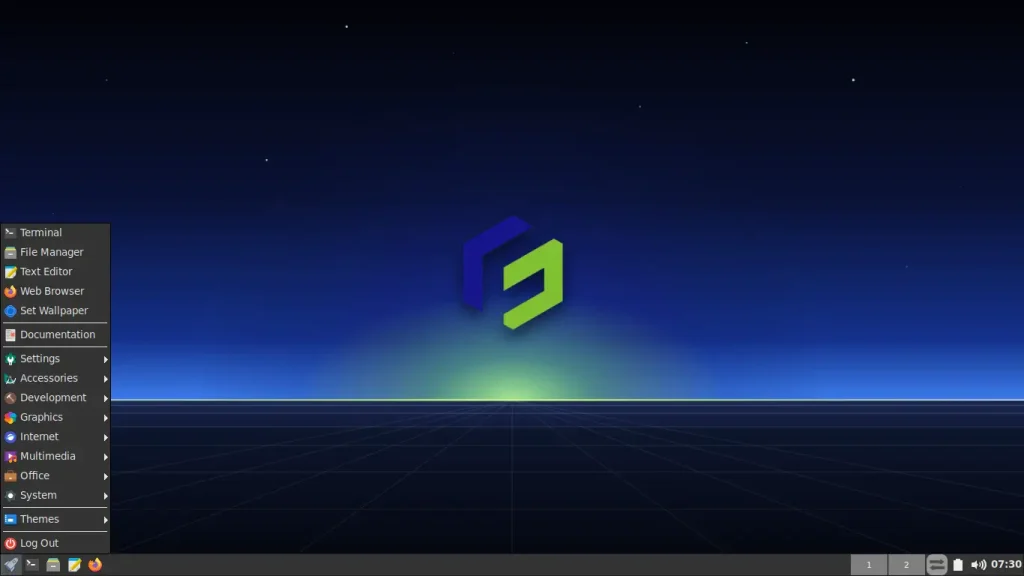
The JWM applications menu is now fully dynamic. Using a lightweight, zero-overhead background watcher, the system automatically detects whenever an application is installed or removed and instantly refreshes the JWM menu. The manual “Reload menu” button has been retired, resulting in a cleaner and more modern user experience.
4. Persistent Display Settings
Display configurations—such as custom screen resolutions, refresh rates, orientations, and multi-monitor layouts—made using the Monitor Settings (lxrandr) tool are now fully automated. These settings are now intelligently applied early in the graphical boot sequence, ensuring your custom display layout remains persistent across system reboots.
5. Active Theme Indicator
The JWM Themes menu has been refined. When browsing desktop themes, the menu now displays a clear visual checkmark indicator (✓) next to the currently active theme, making customization and theme management far more intuitive.
Previous Updates in FunOS 24.04.4 LTS
In case you missed them, here are the major improvements from previous FunOS 24.04.4 LTS releases:
- Build 20260606: Fixed critical LUKS encryption boot errors, improved Calamares installer robustness, updated to Linux Kernel 6.17.0-35, and introduced new wallpapers.
- Build 20260407: Introduced an alternative ISO build featuring the Calamares installer in addition to the standard Ubiquity installer.
- Initial Release: Updated the Hardware Enablement (HWE) stack with Linux Kernel 6.17 and Mesa 25.2.8, introduced a new modern boot splash screen, and updated system wallpapers.
Support and Lifecycle
FunOS 24.04.4 is based on Ubuntu 24.04 LTS and follows its long-term support schedule.
- End of Standard Support: June 2029
- End of Life (EOL): April 2036
This release continues FunOS’s commitment to providing a stable and lightweight desktop operating system for long-term users.
Download
ISO Image:
Notes for Existing Users
Users who have already installed FunOS 24.04.4 using either the Ubiquity or Calamares installer do not need to reinstall their systems.
To receive the latest configuration improvements included in this release, simply update your system and run the FunOS update script.
1. Update Installed Packages
sudo apt update
sudo apt upgrade
2. Download the Update Script
wget https://raw.githubusercontent.com/funos-linux/funos-updates/main/ubuntu/24.04/funos-update3. Install the Script
sudo install -m 755 funos-update /usr/bin/funos-updateNote: If you have previously installed the funos-update script, you can skip step 2 and 3.
4. Run the Update Script
sudo funos-update5. Clean Up and Reboot
rm -f funos-update
sudo apt autoremove
sudo reboot now
Final Thoughts
FunOS 24.04.4 LTS (Build 20260618) is an exciting release that focuses heavily on desktop automation and quality-of-life improvements. By eliminating the need to manually refresh menus and manually persist screen resolutions, the JWM environment now behaves with the fluidity and intelligence expected of a modern desktop, all without sacrificing FunOS’s signature lightweight footprint.
Whether you are deploying FunOS on new hardware or running the update script on an existing installation, these improvements provide a significantly more polished and seamless user experience.
Thank you to everyone who uses, tests, and supports FunOS. Your feedback and contributions help make each release better than the last. We hope you enjoy FunOS 24.04.4 LTS.